Mini HD Projector with Android TV: 200-inch Streaming
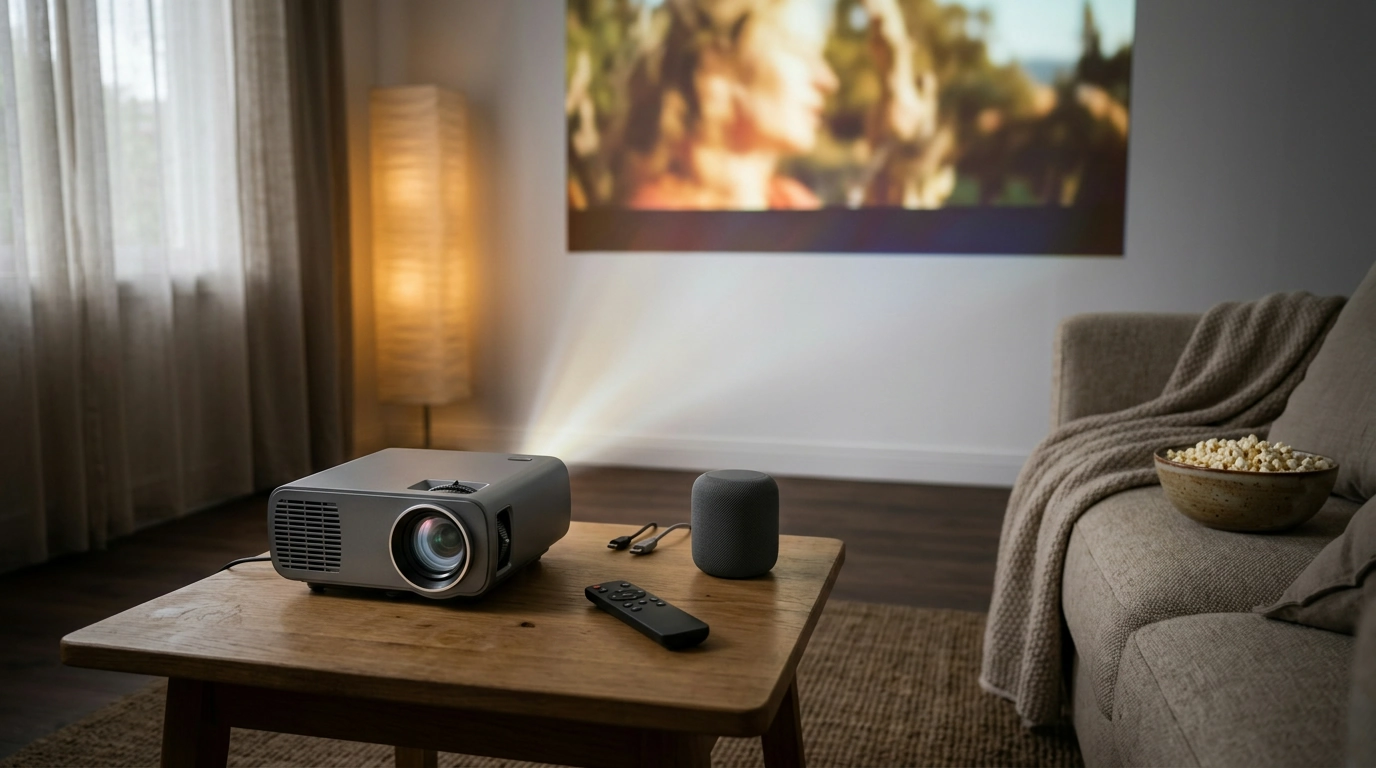
Mini HD Projector with Android TV: Big-Screen Streaming Without the TV Wall
A compact home-theater projector can simplify movie nights, casual gaming, and big-screen streaming without a dedicated TV wall. This model pairs an HD projection setup with Android TV, fast 5G WiFi streaming, Bluetooth audio options, and a large display range—aimed at quick setup in living rooms, bedrooms, dorms, and backyard screens.
If you want an easy way to go from “what should we watch?” to a theater-sized picture, a mini projector with built-in smart features can reduce clutter (no extra streaming box required for many apps) and keep your setup flexible from room to room.
What This Projector Is Built For
- Quick big-screen setup for streaming, sports, and family movies with Android TV built in.
- Flexible placement for small rooms or temporary setups (coffee table, shelf, tripod).
- Wireless convenience: 5G WiFi for smoother streaming and Bluetooth for speakers or headphones.
- Large image potential up to a 200″ display for movie-night scale viewing.
For shoppers comparing options, the main draw here is the all-in-one feel: smart TV-style navigation, wireless connectivity for modern networks, and the ability to scale from a modest bedroom screen to a party-sized image when you have the space.
Key Features at a Glance
- Android TV onboard for app-based viewing without needing a separate streaming stick (depending on preferred services and account access).
- Rated brightness of 9800 lumens (manufacturer spec) for punchier images in dim rooms.
- 5G WiFi support to reduce buffering and improve stability compared with 2.4G-only devices (network conditions apply).
- Bluetooth support for easier audio upgrades beyond built-in speaker sound.
- Up to 200″ projected display for a cinema-like feel when space allows.
Specifications and highlights
| Feature | What to expect |
|---|---|
| Platform | Android TV for streaming apps and a remote-driven interface |
| Brightness (rated) | 9800 lumens (manufacturer rating; best results in low light) |
| Wireless | 5G WiFi for faster streaming on compatible routers |
| Audio | Bluetooth for pairing speakers/headphones (latency varies by device) |
| Max display size | Up to 200″ depending on distance and room conditions |
| Best viewing environment | Dim to dark rooms for stronger contrast and color |
Picture Quality and Room Setup Tips
Projectors are as much about the room as they are about the hardware. A few practical tweaks often make a bigger improvement than chasing specs on paper.
- Room lighting matters: even bright-rated projectors look best with reduced ambient light; use curtains or night viewing for deeper blacks.
- Screen surface choice: a flat white wall works, but a dedicated screen can improve perceived contrast and uniformity.
- Image size vs. brightness: larger images spread light over more area, so a 200″ setup typically benefits from darker conditions.
- Placement basics: keep the lens perpendicular to the screen for the most rectangular image and minimal edge blur.
- Sound expectations: built-in audio can be fine for small rooms, but Bluetooth speakers or a soundbar can markedly improve clarity.
For planning distance and screen size, a calculator can help you visualize what fits your space before you rearrange furniture. ProjectorCentral’s tools are a helpful reference for room layout and viewing geometry: Projector Central — Projector Screen Size and Distance.
Android TV Experience: Streaming Without Extra Hardware
Android TV turns the projector into a self-contained streaming hub. You can browse apps, sign into services, and use a remote-driven interface similar to many smart TVs.
- Convenient app access for common streaming habits; sign-in and updates depend on the services used.
- Remote-driven navigation reduces cable clutter and makes guest setups easier.
- WiFi stability affects streaming quality—placing the router closer or using less congested channels can help.
- For private listening, Bluetooth headphones can be paired for late-night viewing (check for lip-sync settings if available).
If you’re new to the platform, Google’s support center is a solid starting point for setup basics and account management: Android TV Help.
Connectivity: 5G WiFi and Bluetooth in Everyday Use
Wireless features are only “nice to have” until you’re trying to stream in a busy home network or you want better audio without running cables across the room. This projector focuses on the two upgrades most people notice right away: faster WiFi options and simple audio pairing.
Bluetooth performance can vary by device and version; for deeper technical details, the official overview is here: Bluetooth Core Specification (Overview).
Best Use Cases (and When a TV May Be Better)
Care, Placement, and Long-Term Reliability
In-Stock Picks for a Flexible Movie-Night Setup
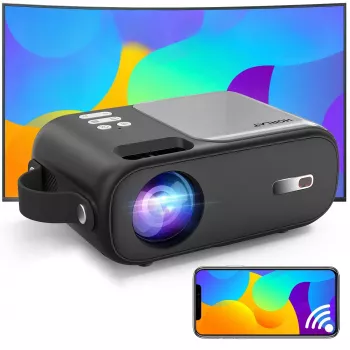
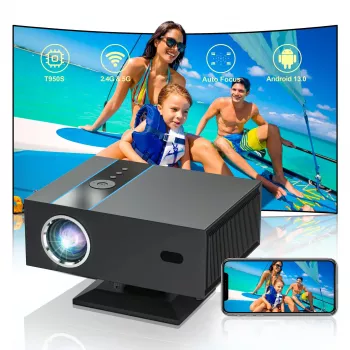
- Mini HD Projector with Android TV, 9800 Lumens, 5G WiFi, Bluetooth, 200″ Display — a compact, app-ready projector designed for quick streaming and big-screen viewing.
- Automatic Quick-Open Camping Tent with Sun Protection & Spacious Cabin — a comfort-forward option for backyard hangs where you want shade by day and a cozy setup by night.
- Women’s Color-Blocking Letter Embroidery Oversized Sweatshirt — an easy layer for cooler evenings when the projector comes out.
FAQ
Is 9800 lumens bright enough for daytime viewing?
Manufacturer lumen ratings can vary, and most projectors still look best in dim rooms. Daytime viewing can work with curtains or shades and a smaller image size, but contrast and black levels will drop in bright ambient light.
Does Android TV mean a streaming stick is not needed?
Android TV allows app-based streaming directly on the projector, so a separate streaming stick is often optional. Some services can vary by region, account requirements, DRM support, or app availability, so a stick may still be useful for specific platforms or preferences.
Can Bluetooth speakers be used without audio delay?
Bluetooth latency depends on the speaker/headphone model and the Bluetooth codec in use. If you notice lip-sync issues, try a different Bluetooth device, look for any audio-sync setting the projector offers, or switch to a wired audio connection when available.










Leave a comment