AI Freelance Admin Automation Checklist (Quick Wins)

AI to Automate Your Freelance Admin Tasks: A Simple Checklist to Save Time and Cut Busywork
Freelance work isn’t only the work clients pay for. It’s also proposals, onboarding, scheduling, follow-ups, invoices, receipts, status updates, and the constant switching between tools. AI can handle a big slice of that admin load—without turning your business into a complicated automation project. Our team built this checklist for quick wins: repeatable tasks, clear templates, and simple handoffs that keep your voice and your standards intact.
What counts as freelance admin (and what AI should not touch)
AI shines when the job is mainly words and structure: drafting, summarizing, extracting action items, formatting, turning notes into templates, creating checklists, writing polite follow-ups, and categorizing information. Where you stay in charge is anything that creates commitments or risk: pricing decisions, legal terms, final financial approvals, sensitive negotiations, and confidential client data (unless you have explicit permission and a secure workflow).
A practical rule: AI prepares and suggests; you approve and send. Set a “review gate” on anything client-facing—confirm tone, names, dates, deliverables, and scope before it leaves your inbox.
Fast wins vs. high-risk admin tasks
| Admin area | Best AI use | Keep manual / double-check |
|---|---|---|
| Email & DMs | Draft replies, rewrite tone, create follow-up sequences | Final send, commitments, discounts, scope changes |
| Meetings | Agenda drafts, note summaries, action items | Sensitive topics, client approvals, deliverable promises |
| Proposals | First draft, structure, benefits, FAQs | Final scope, pricing, terms, legal clauses |
| Invoices & finance | Invoice description text, payment reminders, categorizing expenses | Amounts, tax treatment, bank details, final reconciliation |
| Project updates | Status templates, risk/issue summaries | Client-specific nuance, timeline commitments |
Set up your AI admin system in 30 minutes
Skip the complicated “automation build.” A lightweight setup gives you 80% of the benefit with almost no maintenance.
- Create one “Business Basics” note: services offered, ideal clients, your tone (friendly/direct), boundaries (response times), and common deliverables.
- Create three reusable templates you can reuse in seconds: (1) email reply, (2) meeting summary, (3) proposal outline. Keep each short so you actually use them.
- Define two standard checklists: client onboarding and end-of-project offboarding. Let AI generate a first pass, then refine once and reuse.
- Add a naming rule for files and threads (example: ClientName_Project_Task_Date). Paste that rule into your requests so AI stays consistent.
Copy-ready templates you can reuse
- Email reply: Draft a reply in a friendly, direct tone. Context: (paste thread). Goal: (what you want to happen). Constraints: (availability/boundaries). Include 3 subject line options.
- Meeting recap: Turn these notes into a recap for the client. Include: summary, decisions, action items with owners/dates, open questions. Notes: (paste).
- Proposal outline: Create a proposal outline for (service) for (client type). Include: goals, scope, timeline, milestones, assumptions, what’s not included, next steps. Use plain language.
- Follow-up: Write a polite follow-up that references the last message, offers two next-step options, and includes a clear call-to-action. Thread: (paste).
Simple checklist to automate your freelance admin tasks (weekly workflow)
Use this as a weekly rhythm, not a one-off experiment. The idea is to batch admin, reduce context switching, and keep client communication consistent.
Keep your voice consistent (so AI doesn’t sound like a different person)
Privacy and data habits that keep your business safe
For broader best practices, you can review the NIST AI Risk Management Framework, the FTC guidance on truthful and fair AI use, and the OECD AI Principles.
Use the checklist product to make this repeatable (not a one-time experiment)
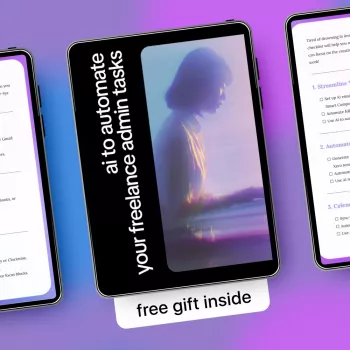
When you’re busy, consistency beats complexity. Our team designed Ai To Automate Your Freelance Admin Tasks | Simple Checklist to Use ai to automate your freelance admin tasks, Save Time, Reduce Busywork & Run Your Freelance Business Smarter as an operations sheet you can actually stick with: pick one admin area, apply the templates, and lock in a routine that holds up week after week.
Two small add-ons that can make your admin sessions more comfortable and focused: a cozy layer like our Women’s Color-Blocking Letter Embroidery Oversized Sweatshirt, and an easy-off option for quick breaks like Women’s Sheepskin Mules.
Before choosing, compare the product details with your daily routine, available space, care needs, and preferred setup. The strongest option is usually the one that fits the intended use clearly and remains simple to clean, store, and check before repeat use.
FAQ
Which freelance admin tasks are the best to automate first?
Start with repetitive, text-heavy tasks that have clear inputs and outputs: email drafts, follow-ups, meeting recaps, proposal outlines, and weekly status updates. Keep anything that commits to pricing, terms, or scope human-led, with you doing the final approval.
How do you use AI for admin without sounding robotic to clients?
Create a tone card, share a few examples of your best client emails, and set guardrails like “no hype” and “keep it short.” Do a fast human pass before sending to confirm names, dates, and that you didn’t add any new commitments.
Is it safe to paste client messages into AI tools?
It can be safer when you redact personal identifiers, confidential details, and financial information, and when you summarize instead of pasting full threads. Follow client data policies, and keep AI use limited to non-sensitive drafting if requirements are strict.















Leave a comment