Preview Your Next Cut With an AI Hairstyle Try-On
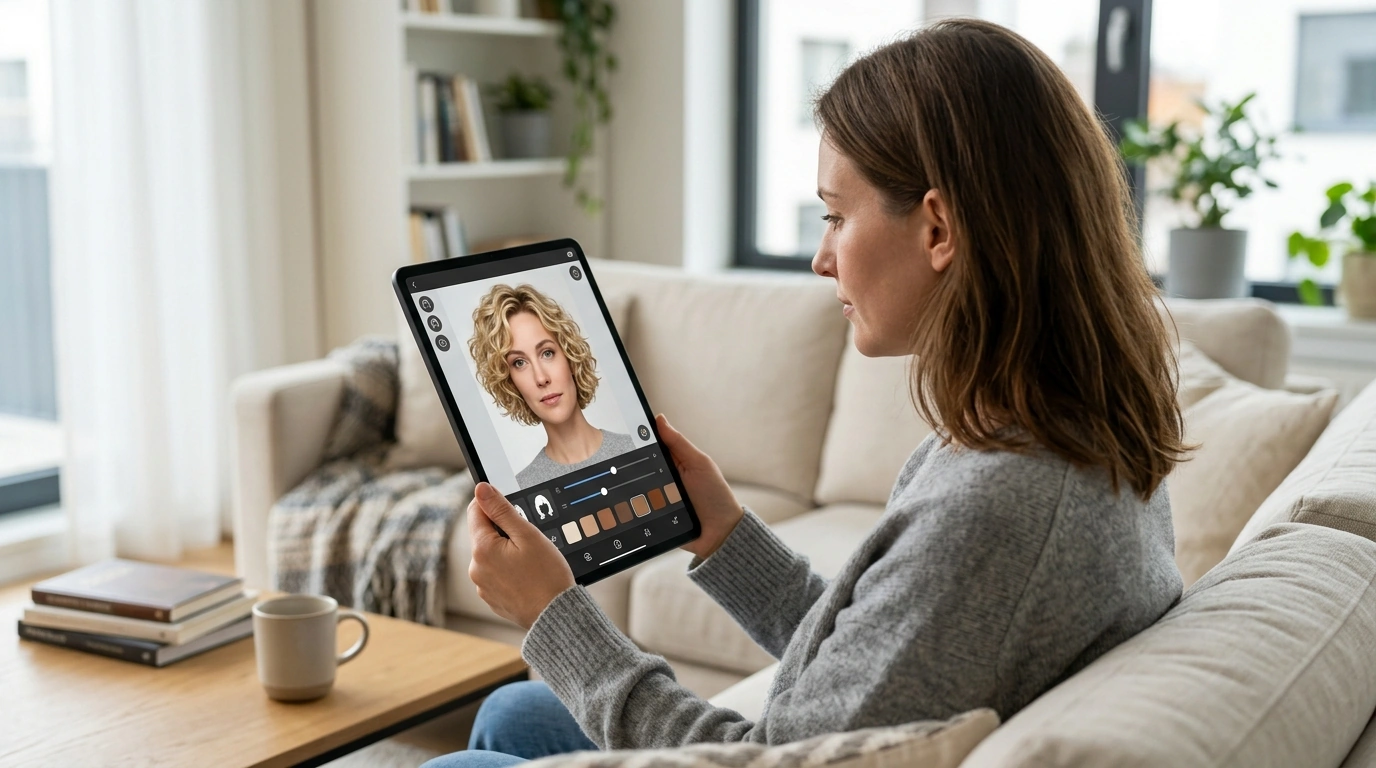
Can I use AI to see what hairstyles look good on me?
Yes. AI hairstyle tools can create a preview of different cuts, lengths, colors, and styles using a photo of your face. They’re useful for comparing ideas before a salon visit, especially if you’re considering a big change. Treat the result as a visual guide, though—not a guarantee of exactly how a style will look in person.
How an AI hairstyle preview works
Most tools ask you to upload a selfie or take a photo, then use facial recognition and image editing to place hairstyles over your image. Depending on the app, you may be able to adjust hair length, texture, color, bangs, or part. Some tools provide realistic-looking edits, while others create a more stylized mockup.
>
How to get a more useful result
Start with a clear, recent photo taken in even lighting. Face the camera directly, keep your hair away from your face if possible, and avoid filters, hats, or dramatic shadows. A simple background can also help the tool distinguish your hair and facial features.
Try several looks rather than judging a style from a single preview. Compare options with different lengths and shapes, and save the ones you like. If you’re testing a color, remember that the preview may not account for your current hair color, texture, or the time and upkeep needed to achieve the shade.
What AI can’t tell you
A virtual preview can help you picture a change, but it may not accurately show how a cut will move, how your natural texture will behave, or how much styling it requires. Your hair density, growth patterns, and face shape also affect the finished result. Use the images to narrow down possibilities, then ask a stylist what will work with your hair and routine.
For more ideas on trying digital beauty previews, visit the guide to AI virtual try-on previews for hairstyles and makeup.
FAQ
What should I look for in a hairstyle preview app?
Choose an app with styles that suit your hair type and options to adjust length, color, and texture. Check its photo privacy settings before uploading an image.












Leave a comment