AI Virtual Try-On: Preview Hairstyles & Makeup First
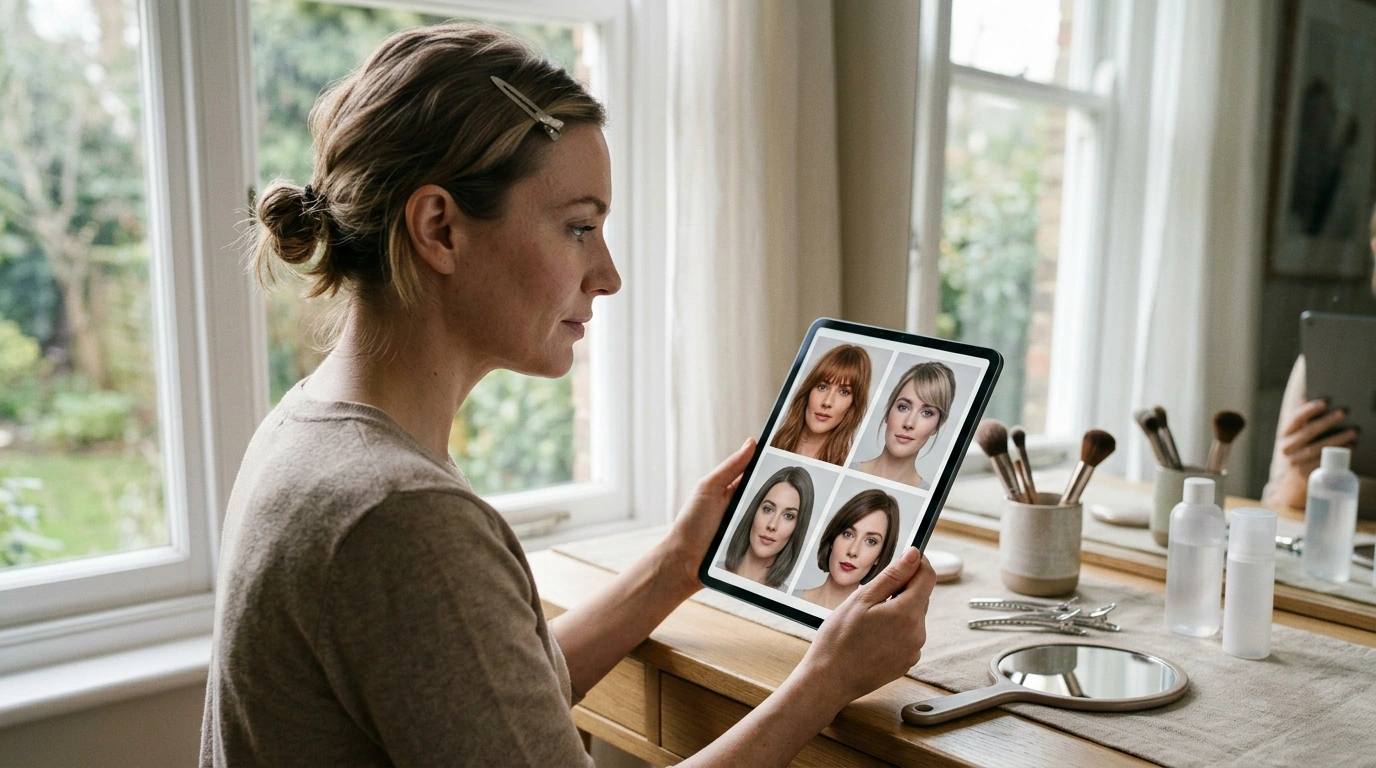
See Your New Look Before You Try It: AI Tools to Visualize Hairstyles and Makeup
Changing hair color, cutting bangs, or switching makeup styles can be exciting—but expensive and hard to reverse. Virtual beauty styling uses AI-powered previews to test different looks on a photo first, so it’s easier to narrow options, communicate clearly with a stylist, and avoid choices that don’t fit your face shape, undertone, lifestyle, or maintenance comfort.
What “virtual beauty styling” can (and can’t) do
Virtual try-on tools are strongest when they help you compare options quickly and consistently—especially for proportion, placement, and overall vibe.
- Helps preview proportions: Fringe placement, part direction, volume, and overall balance around the face are easier to evaluate when you can toggle variations.
- Makes color exploration safer: Compare warm vs. cool shades, highlight placement, and contrast levels before committing.
- Improves communication: A mockup can show the exact direction (shape, brightness, softness) more clearly than vague references.
- Not a perfect guarantee: Lighting, camera lens distortion, and hair texture differences can affect how close the result looks in real life.
- Best used as a decision filter: Identify top candidates, then validate them with a pro and real-world constraints (budget, upkeep, hair history).
Set up a photo that gives accurate previews
The best previews start with a “clean” base photo. A great tool can still struggle if the image is low-res, heavily filtered, or shot under dramatic lighting.
- Use natural, even lighting: Stand near a window and avoid strong overhead shadows that change perceived face shape.
- Choose a neutral expression: Keep hair pulled back if testing bangs, hairlines, or makeup symmetry.
- Capture multiple angles: Take a straight-on photo and a slight 3/4 angle to see how styles read from different viewpoints.
- Remove heavy filters: Beauty smoothing can mislead foundation matching, contour placement, and texture realism.
- Save a high-resolution original: Clear edges help tools detect facial landmarks and hairlines more reliably.
A simple workflow: hair first, then makeup, then reality-check
If you change everything at once, it’s hard to tell what’s actually working. A step-by-step workflow keeps your decisions clean—and your shortlist short.
| Step | Goal | What to Save |
|---|---|---|
| 1) Hair shape | Decide length/layers/fringe that flatter proportions | Front + 3/4 mockups of top 2 shapes |
| 2) Color/dimension | Choose warmth/coolness and contrast level | Side-by-side shade comparison grid |
| 3) Makeup style | Match brows/eyes/lips to the new framing | Day vs. night makeup versions |
| 4) Maintenance check | Confirm upkeep fits lifestyle and budget | Notes: time, products, salon cadence |
| 5) Share with a pro | Align expectations and technical feasibility | One-page reference set with annotations |
How to pick hair colors and styles that look natural on you
- Undertone alignment: Warm/neutral/cool makeup and hair shades tend to look best when they harmonize with your skin’s undertone and eye color.
- Contrast control: Higher contrast reads bolder; lower contrast reads softer and often feels lower-maintenance day to day.
- Texture matters: Curls, coils, waves, and fine hair each respond differently to layers, thinning, and heat styling. Use previews to test shape, then confirm feasibility with a stylist.
- Face framing is powerful: Curtain bangs, jaw-length layers, and part placement can change perceived balance quickly—often more than color alone.
- Plan for upkeep: Vivid shades, platinum, and heavy highlighting often require frequent toning and conditioning; general hair-care guidance from the American Academy of Dermatology can help set realistic expectations.
Makeup previews that translate well from screen to real life
- Match foundation by neck and chest: Don’t judge solely by face-only lighting; check in daylight and consider how it blends into your neck/chest area.
- Use try-on to test shapes: Brow thickness, liner wing angle, blush placement, and lip line are ideal for virtual experimentation.
- Build a capsule routine: Create one everyday look plus one elevated option using overlapping products so it’s easy to repeat.
- Check sensitivity and safety: Patch test new products and keep eye products hygienic; the CDC’s eye infection prevention guidance is a useful reference for general habits that reduce risk.
- Keep reference notes: Track product category, shade family (peach/rose/berry), and finish (matte/satin/dewy). For ingredient and labeling basics, see the U.S. FDA cosmetics resource.
Bring your plan to a stylist or makeup artist
A guided way to organize your virtual beauty trials
For structured steps and templates, use the Virtual Beauty Styling eBook: See Your New Look Before You Try It.
Style add-ons that complete the “new look” feeling
- Women’s Color-Blocking Letter Embroidery Oversized Sweatshirt for an easy, modern silhouette that pairs well with bold hair or clean makeup.
- Women’s Sheepskin Mules to keep the look polished and comfortable—especially if you’re simplifying your daily routine.
FAQ
How accurate are AI hairstyle and makeup previews?
Accuracy depends on lighting, photo quality, and how well the tool interprets hair texture and color. It’s best for narrowing options and communicating a direction, not guaranteeing an identical real-life outcome.
What photo works best for virtual try-on tools?
Use a high-resolution photo in natural, even light with minimal filters. A neutral expression plus straight-on and 3/4 angles (and hair pulled back for bang/hairline tests) usually produces the most reliable previews.
How can a virtual plan help at the salon?
Bringing 2–3 mockups with notes about what you like (shape, contrast, warmth, softness) reduces miscommunication. It also helps set expectations around maintenance, budget, and boundaries before any cutting or coloring begins.









Leave a comment